v1.9 [Feb 2, 2017]
Preview: Incoming/Outgoing changes graph - Visualize incoming and outgoing changes in the Source Control view.
Python environments - Enhanced environment discovery with python-environment-tools.
Smart Send in native REPL - Smoothly run code chunks in the native REPL.
GitHub Copilot extensibility - Chat and Language Model APIs available in VS Code Stable.
Preview: Profiles Editor - Manage your profiles in a single place.
Custom tab labels - More variable options and support for multiple extensions.
TypeScript 5.5 - Syntax checking for regular expressions and other language features.
JavaScript Debugger - Inspect shadowed variables while debugging JavaScript.
v1.4 [Aug 5, 2016]
Workbench: Editor actions such as Open Preview and Switch to Changes View are back on the title bar. IME and Copy/Paste support in the Integrated Terminal.
Editor: Better snippet and suggestions control. New Insert Snippet command with dedicated UI.
Debugging: Restart Frame action to rerun a specific stack frame. 'Variable paging' feature moved into VS Code and available to all debug extensions.
Extension Authoring: New 'move' commands to better support VIM gestures. Custom link behavior with the DocumentLinkProvider API. Expanded Debug Protocol.
v1.2 [Jun 6, 2016]
- Multiline search - Search across files with regex multiline expressions.
- File icons in IntelliSense - Quickly distinguish file types in IntelliSense.
- Better macOS support - Full screen mode control and Mojave Dark Mode support.
- Collapsible stack frames - Collapse uninteresting stack frames to clearly see your code.
- Improved Loaded Scripts view - Displays related resources such as original source files.
- Updated extension samples - Uniform style and structure, README, and API usage.
- CI recipe for extensions - Azure Pipelines build recipe for extensions.
- Preview: List All References - List All References view shows reference search results.
v1.0 [Apr 15, 2016]
May include unspecified updates, enhancements, or bug fixes.


Visual C++is development environment for creating native Windows applications.
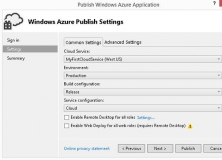

You can use Azure Tools for Visual Studio to create scalable web applications.

It fixes the issue that causes the Notifications hub to stop displaying alerts.